— PulsarTrace · macOS
Meeting transcripts that never leave your Mac.
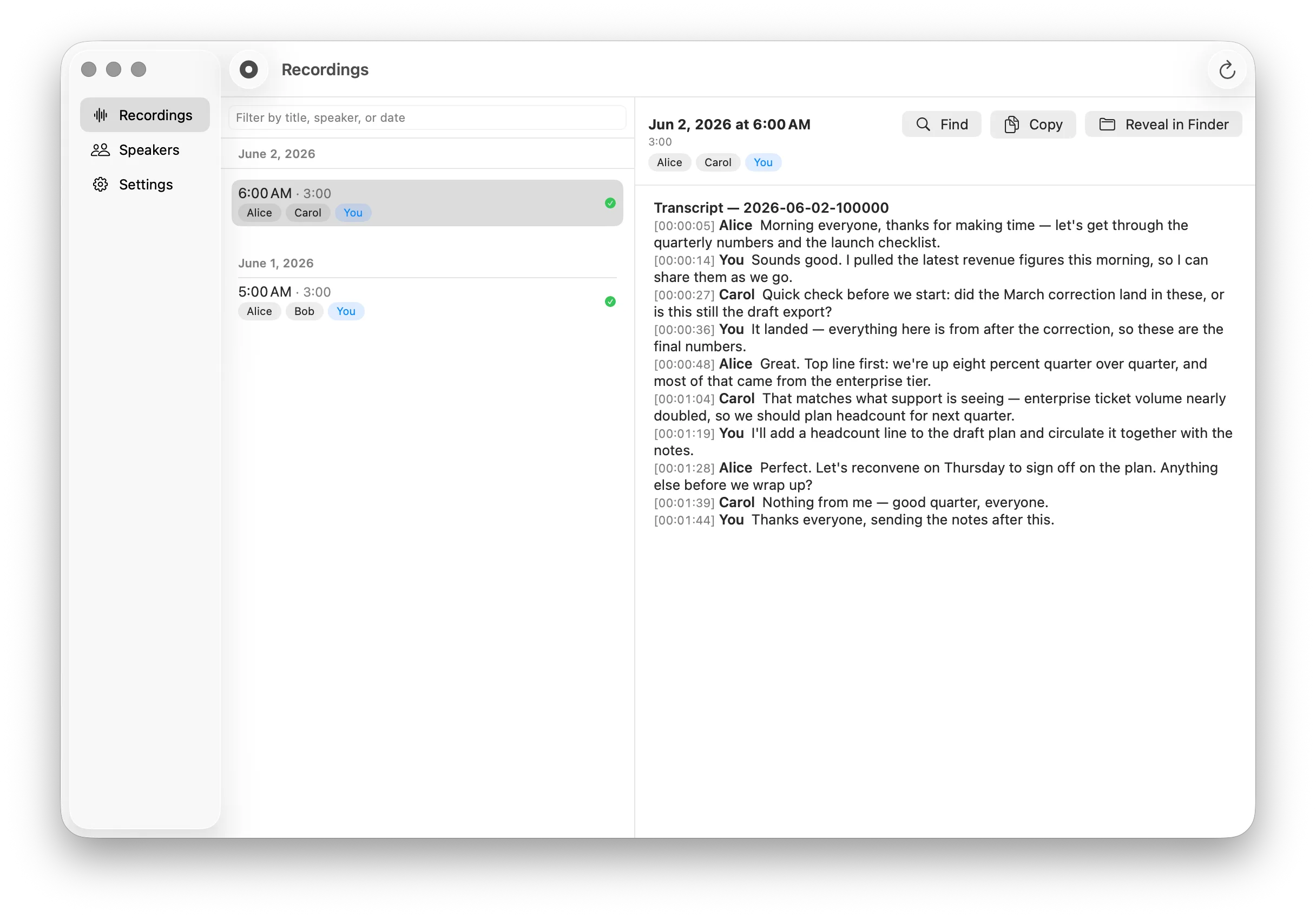
PulsarTrace records your mic and system audio, transcribes on the Apple Neural Engine, and writes speaker-labeled Markdown files. No cloud, no account — safe for work you can’t share.
macOS · open source — coming soon
— What it does
Record everything
One click captures your mic and system audio together. No virtual audio drivers, no setup.
Live transcript
A Markdown file starts growing seconds after you hit record. Watch it live, or let your agent read along.
Speakers remembered
Name a voice once and every transcript — past and future — updates. Your meeting history stays consistent.
Clean Markdown out
Every meeting ends as one tidy, speaker-labeled file. No lock-in; it works with any tool.
— Not another AI assistant
Bring Your Own Agent.
PulsarTrace isn’t a meeting notetaker and doesn’t want to be your AI assistant. It’s a transcription app that writes plain files — your agent does the rest. Point Claude Code, Cursor, or any tool you already use at your transcripts for summaries, action items, and answers. On your machine, on your terms.
— Private by design
Nothing leaves this machine.
- Audio never leaves your Mac — transcription happens on-device.
- No telemetry, no analytics, no account.
- Fully offline after a one-time model download.
| Feature | PulsarTrace | Granola | Otter | MacWhisper | Meetily |
|---|---|---|---|---|---|
| Audio stays on your device | Yes | No | No | Yes | Yes |
| No bot joins your meetings | Yes | Yes | No | Yes | Yes |
| Speaker identification | YesRecognized across meetings | Me/Them only | YesCloud profiles | Per-file only | Roadmap |
| Access to transcripts | Local Markdown files | Cloud export | Cloud export | Local export | Local database |
| Agent access | Local MCP + files | Cloud MCP | Cloud MCP | No | REST API |
| Built-in AI summaries | NoBring your own agent | Yes | Yes | Opt-in cloud | Yes |
| Open source | Coming soon | No | No | No | Yes |
— Waitlist
Be first in line.
PulsarTrace is in final development. Leave your name and email and you’ll be the first to know when it’s ready to download.
You’re on the list.
We’ll email you when PulsarTrace is ready.